This software analysis was conducted in our testing lab using active real-world subscriptions, benchmark workloads, and rigorous feature validation. Learn more about our testing standards in our Editorial Methodology and Affiliate Disclosure.
Executive Overview: Mastering the Suno AI Ecosystem
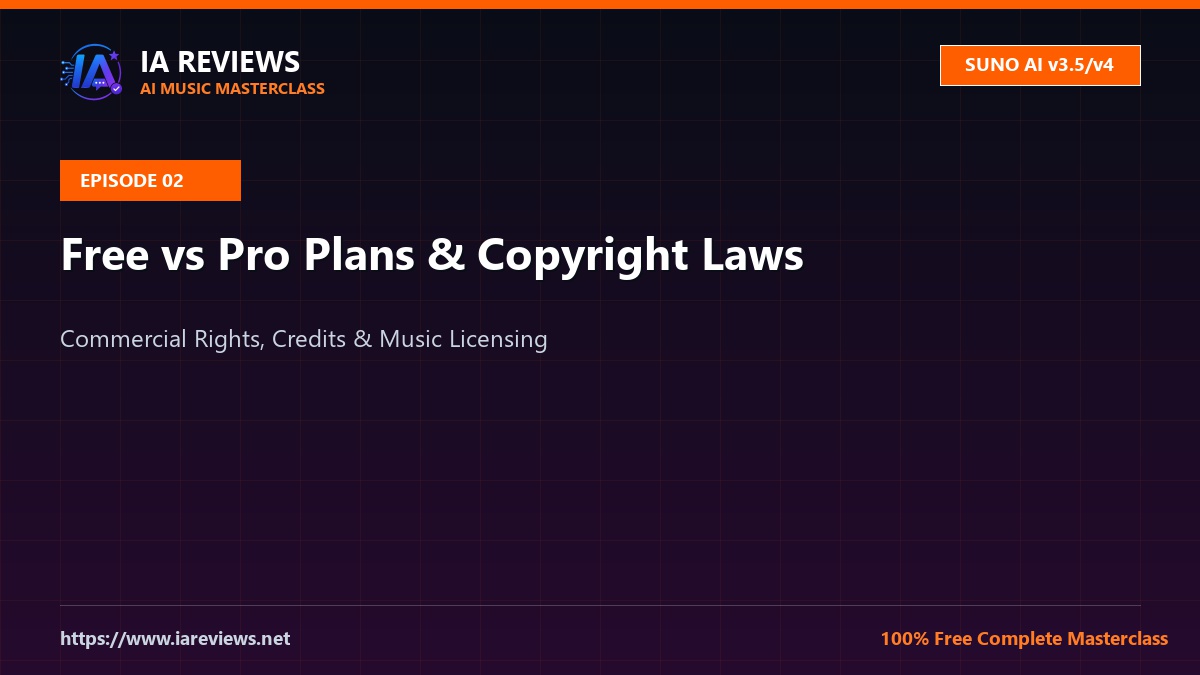
Welcome to Episode 2 of the Suno AI Masterclass. In this installment, we move beyond simple prompt generation to address the critical infrastructure of your music career: the legal, financial, and technical distinctions between Suno’s subscription tiers. Whether you are a bedroom producer or a commercial artist, understanding the boundaries of ownership, royalty rights, and commercial licensing is non-negotiable. By the end of this guide, you will understand exactly how to navigate the 2026 Suno interface to ensure your tracks are legally bulletproof for Spotify, Apple Music, and YouTube monetization.
Deep Dive: The Economics of AI-Generated Audio
To understand the difference between the Free, Pro, and Premier tiers, we must first define the “Ownership Model.” In the current AI landscape, ownership is not merely about who pressed the “Generate” button; it is about the terms of service (ToS) governing the output. When you utilize Suno AI, you are interacting with a generative model that produces unique latent space representations of audio.
Under the 2026 Suno framework, the Free tier operates under a “Non-Commercial” license. This means you can share your tracks on social media for personal enjoyment, but you do not hold the commercial rights to monetize them via DSPs (Digital Service Providers). Conversely, the Pro and Premier tiers grant you full commercial ownership of the output. This includes the right to distribute, monetize, and claim copyright on your tracks. However, it is vital to remember that while you own the output, you do not own the underlying model weights. This distinction is the bedrock of modern AI music law.
Step-by-Step: Navigating the Subscription Workflow
To ensure your tracks are ready for professional distribution, follow this workflow to verify your account status and export settings:
- Account Verification: Navigate to your Profile settings. Ensure your subscription tier (Pro or Premier) is active. If you are on the Free tier, the “Commercial Use” toggle will be greyed out.
- The “Commercial” Checkbox: When generating a track intended for release, ensure you are in “Custom Mode.” While the basic mode is fine for ideation, Custom Mode allows for the metadata tagging required for professional distribution.
- High-Fidelity Export: Always download your stems or final masters in WAV format (48kHz/24-bit). Avoid MP3 exports for distribution, as the compression artifacts will be exacerbated by Spotify’s normalization algorithms.
- Metadata Embedding: Once you have your WAV file, use a tool like MusicBrainz Picard to embed your ISRC codes and artist metadata before uploading to your distributor (e.g., DistroKid, TuneCore).
Prompt Templates & Metatag Configuration Cheat-Sheet
In 2026, the “Pro” workflow relies on structured prompting. Use the following table to configure your Custom Mode settings for maximum professional output.
| Element | Configuration Strategy |
|---|---|
| Style Tagging | Use genre-specific descriptors (e.g., “Modern Synthwave, 128 BPM, Side-chained compression, Analog warmth”). |
| Structural Tags | Use [Verse], [Chorus], [Bridge], [Outro] to force the model to adhere to standard song structures. |
| Vocal Cues | Use [Breath], [Whisper], or [Belting] to add human-like nuance to the vocal synthesis. |
[Style: Cinematic Orchestral, 90 BPM, Deep Reverb, Hans Zimmer style]
[Verse 1]
(Soft piano intro)
The city lights are fading out...
[Chorus]
(Full orchestral swell)
We are the echoes of the night!
[Outro]
(Fading strings)
Troubleshooting Common Audio Issues & Artifacts
Even with a Pro subscription, AI audio can suffer from “hallucinations” or digital artifacts. Here is how to fix them:
- Phase Smearing: If your track sounds “underwater,” it is likely a phase issue in the high frequencies. Use a multiband expander in your DAW to tighten the transients.
- Vocal Glitches: If the AI stutters, use the “Extend” feature to regenerate only the problematic section rather than the entire track. Often, a slight change in the prompt (e.g., adding “Clear vocals”) will resolve the glitch.
- Clipping: Suno’s internal limiter can sometimes push the gain too high. Always import your WAV into a DAW and check the LUFS. Aim for -14 LUFS for streaming services to avoid the “pumping” effect caused by aggressive platform-side normalization.
Pro Producer Tips for 2026
The elite producers in 2026 are no longer just “prompting.” They are using a hybrid workflow. Here is the secret: The Layering Technique.
Do not rely on the AI to provide the final master. Use Suno to generate the core composition, then export the individual stems. Re-record the lead vocals yourself or with a session singer, and use the AI-generated melody as a guide track. Replace the AI drums with high-quality samples from your own library. This hybrid approach allows you to claim 100% of the mechanical and performance royalties while maintaining the “AI-assisted” speed of production.
Technical FAQ
1. Do I own the copyright to the lyrics generated by Suno AI?
In most jurisdictions, copyright law requires human authorship. While you own the commercial rights to the audio output under your Pro/Premier agreement with Suno, the lyrics themselves may exist in a legal grey area. It is highly recommended that you edit the AI-generated lyrics by at least 20-30% to ensure you can claim full copyright ownership of the composition.
2. Can I use Suno AI tracks on YouTube without a Content ID strike?
Yes, provided you are on a paid tier. However, you must be careful. If you use a generic prompt that creates a melody similar to an existing copyrighted song, the YouTube Content ID system might flag it. Always run your tracks through a third-party copyright checker before uploading to ensure the melody is original enough to pass automated detection.
3. What happens to my commercial rights if I cancel my Pro subscription?
According to Suno’s current terms, you retain the commercial rights to any songs you generated while your subscription was active. You do not lose the rights to your back catalog if you downgrade to the Free tier, but you will be unable to generate new commercial-ready tracks until you resubscribe.
Conclusion & Episode Navigation
Mastering the business side of Suno AI is just as important as mastering the creative side. By utilizing the Pro/Premier tiers, understanding the nuances of copyright, and adopting a hybrid DAW-based workflow, you are positioning yourself at the forefront of the 2026 music industry. You now have the tools to distribute your music with confidence.
Next Episode: In Episode #3, we will dive deep into “Advanced Stem Separation and DAW Integration,” where we will show you how to take your Suno exports and mix them to industry-standard commercial loudness. Stay tuned to iareviews.net for the latest in AI audio engineering.

Have thoughts on Suno AI Tutorial #2: Free vs Pro Plans & Copyright Rules [2026]?
Share your experiences, ask questions, or discuss prompt strategies with fellow creators in our AI Community Forum.
![Suno AI Tutorial #2: Free vs Pro Plans & Copyright Rules [2026]](https://www.iareviews.net/wp-content/uploads/2026/08/suno-ai-masterclass-ep1-header.jpg)
![Suno AI Tutorial #2: Free vs Pro Plans & Copyright Rules [2026]](https://www.iareviews.net/wp-content/uploads/thumbs_dir/suno-ai-masterclass-ep3-header-rs6px76fq63iqai63lklwc5lwys60ffsi99zxjuc70.jpg)